MultiBit HD: Seed Phrase, Files & Recovery
Complete guide to MultiBit HD wallet, including how to recover your Bitcoin using your 12-word seed phrase or wallet files.
What is MultiBit HD?
MultiBit HD (Hierarchical Deterministic) was released in 2014 as the successor to MultiBit Classic. Its most important change was the 12-word seed phrase — a single backup that could restore your entire wallet, making recovery far more straightforward than Classic's individual key files.
Released
2014
Final Version
v0.5.1
Discontinued
2017
Key Features of MultiBit HD
12-Word Seed Phrase
Back up your entire wallet with just 12 words. Compatible with BIP39 standard.
Hierarchical Deterministic
All keys derived from a single seed, making backup and recovery straightforward.
Password Protection
Wallet files encrypted with AES for additional security.
SPV Technology
Lightweight wallet that doesn't require downloading the full blockchain.
Is MultiBit HD Still Working?
No, MultiBit HD is no longer functional. KeepKey acquired MultiBit in 2016, and the wallet was discontinued in July 2017. The good news? If you have your 12-word seed phrase, recovery is straightforward.
- ✗Cannot sync with the Bitcoin network
- ✗Cannot send or receive transactions
- ✗No longer receives security updates
- ✓Your Bitcoin is still on the blockchain and recoverable
- ✓Seed phrase works in modern BIP39-compatible wallets
How to Recover Your Bitcoin
The easiest way to recover MultiBit HD funds is with your 12-word seed phrase. If you don't have it, wallet file recovery is still possible.
Recover with Seed Phrase
Have your 12 words? This is the fastest way to recover. Import into Electrum or any BIP39 wallet.
RecommendedRecover from Wallet File
Lost your seed phrase? You may still recover from the mbhd.wallet.aes file if you know the password.
View guideMigrate to Electrum
Complete guide to moving your Bitcoin from MultiBit HD to Electrum wallet.
View guideForgot Password?
Options for recovering encrypted wallets when you've forgotten the password.
View optionsDownload MultiBit HD
Need to access the MultiBit HD software? Download the final version (v0.5.1) for your operating system. Only use this for recovery purposes.
Download MultiBit HD v0.5.1Where Are My MultiBit HD Wallet Files?
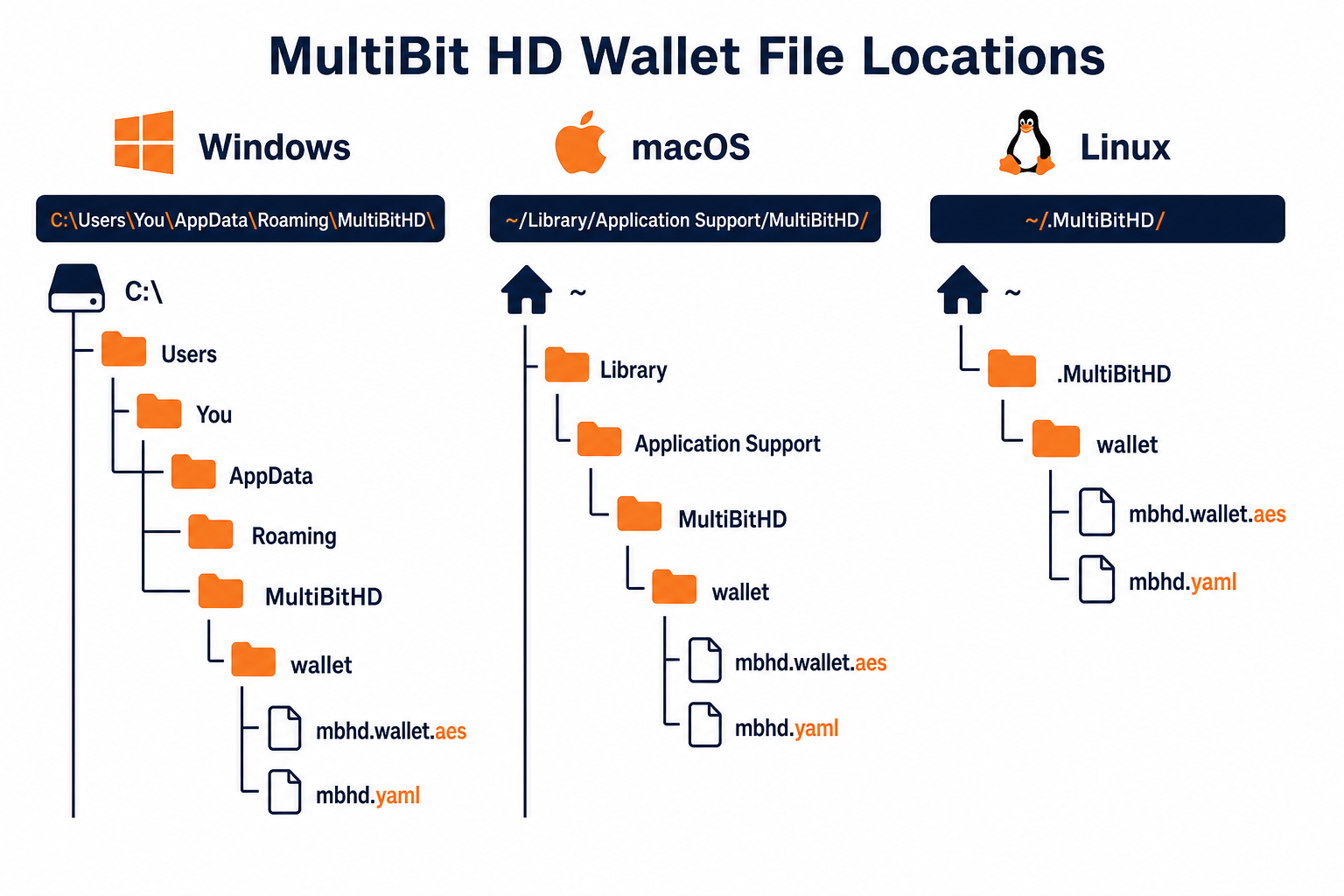
| Operating System | Default Location |
|---|---|
| Windows | C:\Users\[Username]\AppData\Roaming\MultiBitHD |
| macOS | ~/Library/Application Support/MultiBitHD |
| Linux | ~/.MultiBitHD |
Look for the mbhd.wallet.aes file. This is the encrypted wallet containing your keys.
Related Resources
Frequently Asked Questions
What is MultiBit HD?
MultiBit HD (Hierarchical Deterministic) was a Bitcoin wallet released in 2014 as the successor to MultiBit Classic. It introduced 12-word seed phrases for easy backup and recovery, making it more user-friendly than its predecessor.
Is MultiBit HD still working?
No, MultiBit HD was discontinued in 2017 after KeepKey's acquisition. The wallet no longer syncs with the Bitcoin network. However, your Bitcoin is still safe and can be recovered using your 12-word seed phrase.
How do I recover Bitcoin from MultiBit HD?
If you have your 12-word seed phrase, you can recover your Bitcoin by importing it into a compatible wallet like Electrum using the BIP39 standard. If you don't have the seed phrase, you may still recover from wallet files.
Where are MultiBit HD wallet files stored?
On Windows: C:\Users\[Username]\AppData\Roaming\MultiBitHD. On macOS: ~/Library/Application Support/MultiBitHD. On Linux: ~/.MultiBitHD. The wallet data is in the 'mbhd.wallet.aes' file.
Can I use my MultiBit HD seed phrase in other wallets?
Yes! MultiBit HD uses BIP39 seed phrases. You can import your 12-word phrase into Electrum (with a specific derivation path) or other compatible wallets to access your Bitcoin.